
Quick Facts: Reader Assist
- Pricing Model: Free
- Primary Audience: People with dyslexia, ADHD, dyspraxia, visual stress, or autism; language learners; children learning to read; students; teachers; and anyone reading dense or cluttered web text.
- Official Website: readerassistextension.qsoft.sh
- Research Verification Date: October 18, 2026
What is Reader Assist?
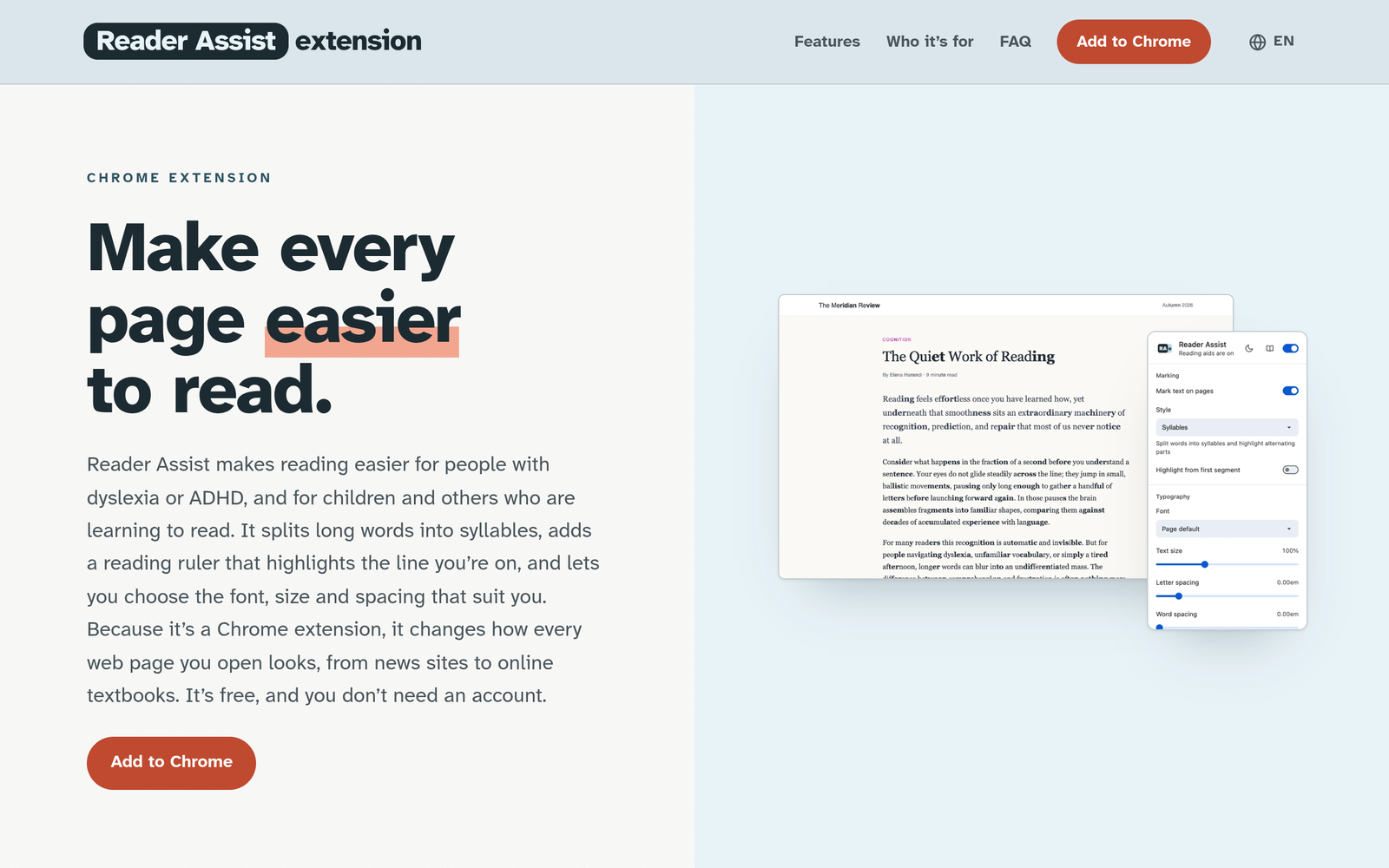
Reader Assist is a free Chrome extension that enhances web reading accessibility by splitting words into syllables, highlighting consonant-vowel pairs, providing a customizable reading ruler, and offering a simplified reader view.
Documented & Verified Features
- Syllable splitting with bold alternating syllables for Latin, Cyrillic, and Greek scripts
- Vowel-consonant marking that runs locally in-browser
- Pointer-following reading ruler with customizable colors, opacity (5% to 60%), and height (20 to 120 px)
- Typography adjustments including OpenDyslexic, Comic Sans, Georgia, Palatino, Verdana, Tahoma, Trebuchet fonts, 50% to 200% text scaling, and letter/word spacing adjustments
- Distraction-free Reader View accessible via shortcut (Alt+Shift+R) with light and dark theme support
- Support for Google Admin console deployment on managed Chromebooks using extension ID naddallapmanhbjifondopljjbjkhgpp
- Privacy design requiring no account, sending only individual uncached words to an LLM server for syllable splitting
Primary Use Cases
- Breaking down long, difficult words into syllables or consonant-vowel pairs on any website
- Maintaining reading focus and tracking lines using a customizable pointer-following reading ruler
- Removing ads, menus, and sidebars using a distraction-free reader view
- Customizing typography with dyslexia-friendly fonts, enlarged text size, and adjusted letter/word spacing
Pricing & Plans
Current pricing model is categorized as Free. Visit the official website for real-time tier updates.
Documented Limits & Restrictions
Works on web pages in Google Chrome; does not work on internal Chrome pages (such as settings and new tab pages) due to browser restrictions
Editorial Transparency Note: Information on this directory page was collected and verified from Reader Assist’s official documentation on October 18, 2026. Features and pricing may change over time.
Similar AI Tools You Might Like

Unmei Tarot is a free, multilingual AI tarot reading service where the AI reader 'Tsukishiro Nagi'...