SlidesAI Review: A Multi-Platform AI Slide Generator That Stays Inside Google Slides and PowerPoint
Quick Executive Summary
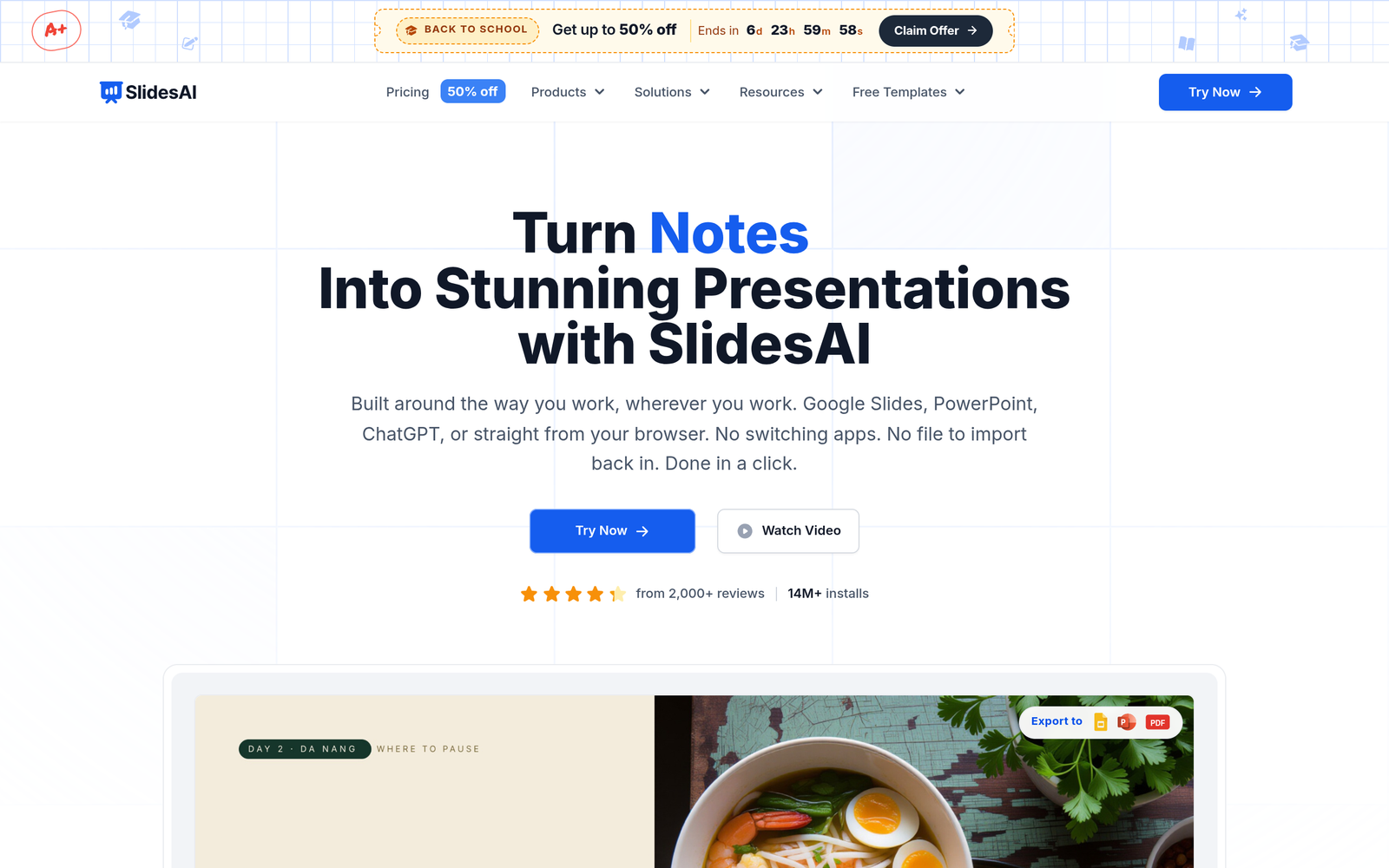
SlidesAI is an AI presentation generator that converts text, notes, documents, and topic prompts into structured, fully editable slide decks. Its most distinctive technical decision is that it does not force you into yet another web canvas: output is delivered as native Google Slides and PowerPoint files, and the tool itself runs as a web app, a Google Slides add-on, a Microsoft PowerPoint add-in, and a ChatGPT integration. That combination addresses a genuine pain point — the “AI builds my deck, but now I have to export it somewhere my team actually works” problem that most standalone AI deck tools handle poorly.
It is freemium, with a free Basic plan capped at 12 presentations per year, a Pro plan at $10/month billed yearly ($120/year), and a Premium plan at $20.83/month billed yearly ($250/year). Pricing is handled through Paddle.com as Merchant of Record, and listed prices exclude taxes.
Bottom line: SlidesAI is a strong fit for students, educators, and professionals who live in Google Slides or PowerPoint and want drafts generated where they already work. It is a poor fit for teams needing unlimited free usage, deep data-driven slide automation, or tools that operate entirely outside the Office/Google ecosystem.
What SlidesAI Is and How It Actually Works
SlidesAI (built by Zesterv LLC, founded in January 2023 by Anurag Bhagsain, headquartered in Sharjah, UAE) generates presentation drafts from raw input. The workflow is straightforward:
- Input: You provide text, notes, a script, a topic prompt, or — on paid plans — an uploaded document or PPT file.
- Generation: The AI structures that input into a slide outline with headings, body copy, and layouts. It can also generate diagrams, flowcharts, and timelines in editable form, plus AI-generated images.
- Editing in place: Output lands in native Google Slides or PowerPoint format, so every element remains editable with the native tools you already know. Per-slide regeneration, rephrasing, shortening, and translation are available for refinement.
- Brand alignment: The Brand Kit feature generates presentations using your colors, fonts, logo, and layouts derived from an uploaded PPT file — useful for organizations that enforce visual standards.
The multi-surface availability matters in practice. Because SlidesAI runs as a Google Slides add-on and a PowerPoint add-in, generation happens inside the editor rather than in a separate app that then requires an export round-trip. It also supports 22 languages, including English, Spanish, French, German, Japanese, Arabic, and Chinese, and exports to PDF and PPTX.
Target Audience & Ideal Users
- Students: Turning lecture notes and research material into structured decks quickly, with the free tier as a low-risk entry point.
- Educators: Producing lesson slides and classroom material from existing course notes, with multilingual support for bilingual teaching environments.
- Professionals and consultants: Converting reports and memos into business presentations inside their existing Google Workspace or Microsoft 365 stack.
- Sales teams and marketers: Using the Brand Kit to generate campaign presentations and client decks that match corporate identity.
- Founders: Drafting pitch decks and investor updates from written plans, then refining them natively.
Core Features & Capabilities
Based on verified product documentation, SlidesAI’s confirmed capabilities are:
- Four deployment surfaces: Web app, Google Slides add-on, Microsoft PowerPoint add-in, and ChatGPT integration.
- Multiple input-to-deck paths: Text, documents, and topic prompts convert into editable presentations.
- Native file output: Editable Google Slides and PowerPoint files — not locked proprietary exports.
- Per-slide AI controls: Rephrase, shorten, translate, and regenerate individual slides without rebuilding the deck.
- Themes, layouts, and AI images: Multiple visual themes and layouts, plus AI-generated imagery.
- Editable diagrams: AI-generated diagrams, flowcharts, and timelines that remain editable objects.
- Brand Kit: Presentations generated in your colors, fonts, logo, and layouts from an uploaded PPT.
- 22-language support including RTL language Arabic.
- Exports: PDF and PPTX.
Vendor-reported figures we could not independently verify: 14M+ app installs, a 4.3 rating with 2,000+ reviews on Google Workspace Marketplace, 3.7M+ presentations created, and a claim that users spend 85% less time building slides. Treat these as marketing data points until validated by your own trial.
Pricing, Tier Differences, and Plan Limitations
| Plan | Price | Presentations | Character Input | AI Credits | Document Upload |
|---|---|---|---|---|---|
| Basic (Free) | $0/month | 12/year | 1,000 per presentation | 120/year | No |
| Pro | $10/month (billed $120/year) | 120/year | 6,000 per presentation | 600/year | Yes |
| Premium | $20.83/month (billed $250/year) | Unlimited | 12,000 per presentation | 1,200/year | Yes |
Important fine print:
- The comparison table on the homepage lists an entry paid plan at $12/month, which implies monthly billing is available at a higher rate than the discounted annual price. Confirm at checkout which billing cycle applies.
- Pro and Premium have yearly AI credit and character ceilings — heavy users should model their annual volume against these limits, not monthly ones.
- Document upload is gated to paid plans entirely.
- Prices exclude taxes; billing is processed via Paddle.com as Merchant of Record.
The free tier’s 1,000-character cap means roughly a page of text per presentation — workable for short class assignments, immediately limiting for report-to-deck conversion. The jump to 6,000 characters on Pro is where document-based workflows become practical.
Key Advantages
- Works where you already work. Native add-ins for Google Slides and PowerPoint eliminate the export/round-trip friction of standalone AI deck tools. The vendor’s competitive framing (Gamma, Canva, Plus AI, Presentations.ai having “limited support” for these surfaces) is vendor-reported, but the multi-platform availability itself is verified.
- Output stays editable and standard. Native file formats mean no lock-in and no re-learning an unfamiliar editor.
- Granular AI editing. Per-slide regeneration, rephrasing, shortening, and translation avoid the all-or-nothing regeneration loop common in AI deck tools.
- Brand consistency on paid plans. The Brand Kit from an uploaded PPT is genuinely valuable for teams with visual guidelines.
- Accessible entry point. The free tier allows real evaluation — 12 full presentations per year — before any payment.
- Language breadth. 22 languages, including Arabic and Chinese, supports international teams and classrooms.
Documented Drawbacks and Limitations
- Free tier is very tight. 12 presentations per year and 1,000 characters each is a sampler, not a sustained free workflow.
- Annual credit ceilings on paid tiers. Pro’s 600 AI credits and 12,000 presentations’ worth of yearly caps require forecasting; hitting a December credit wall is a real risk for consistent users.
- Yearly-billing emphasis. Headline prices ($10, $20.83) are annual-billing figures; monthly billing appears to cost more ($12/month for the entry tier), reducing flexibility for short-term projects.
- No document upload on free. The PDF/PPT-to-deck use case — one of its strongest — is entirely paywalled.
- Early-stage company. Founded in 2023, a small UAE-based LLC; buyers with procurement requirements should weigh vendor longevity.
- Vendor-reported metrics unverified. The 85% time-savings claim and install counts come from the company’s own materials, not independent testing.
Who Should Consider SlidesAI vs. Who Should Look Elsewhere
Good fit:
- Students and educators who want drafts inside Google Slides without learning a new tool.
- Teams already standardized on Google Workspace or Microsoft 365 that need brand-consistent decks (Pro/Premium).
- Multilingual presenters needing translation and RTL support within the slide workflow.
Look elsewhere if you:
- Need a genuinely usable free tier beyond 12 decks a year.
- Want highly visual, designer-grade templates out of the box — template design is not the emphasis here; flexibility and portability are.
- Require monthly billing flexibility or enterprise procurement guarantees from a long-established vendor.
- Prefer a standalone presentation platform with its own ecosystem rather than an add-in model.
Transparent Editorial Evaluation & Methodology
This review is a research-based product analysis built from vendor documentation, the publicly listed pricing page, and verified technical specifications, with claims checked against source pages dated October 2026. No hands-on trial was conducted, so we do not assert generation speed, output quality, or UI polish from direct experience. Pricing figures marked “verified” come directly from SlidesAI’s pricing page; install counts, review scores, and efficiency claims are labeled as vendor-reported and should be validated independently.
Editorial verdict: SlidesAI earns its place in an AI toolkit primarily on architectural merit — native file output and in-editor operation solve a real workflow problem. Its constraints are honest but real: tight free limits, annual credit ceilings, and a young company behind it. If your decks live in Google Slides or PowerPoint and your volume fits within a few hundred presentations a year, the Pro tier at $120/year is a rational buy. If not, keep shopping.
Review Methodology & Source Verification
This is a research-based product analysis based on vendor documentation, publicly documented pricing, and verified technical specifications. No hands-on trial was conducted.
Last Verified: October 16, 2026
Primary Sources: SlidesAI Official Documentation