This review is a research-backed product analysis commissioned by the vendor. AI Tool Bee maintains strict editorial independence: all features, pricing metrics, and tradeoffs are independently verified by our research team. Commercial links use rel="sponsored".
Quick Executive Summary
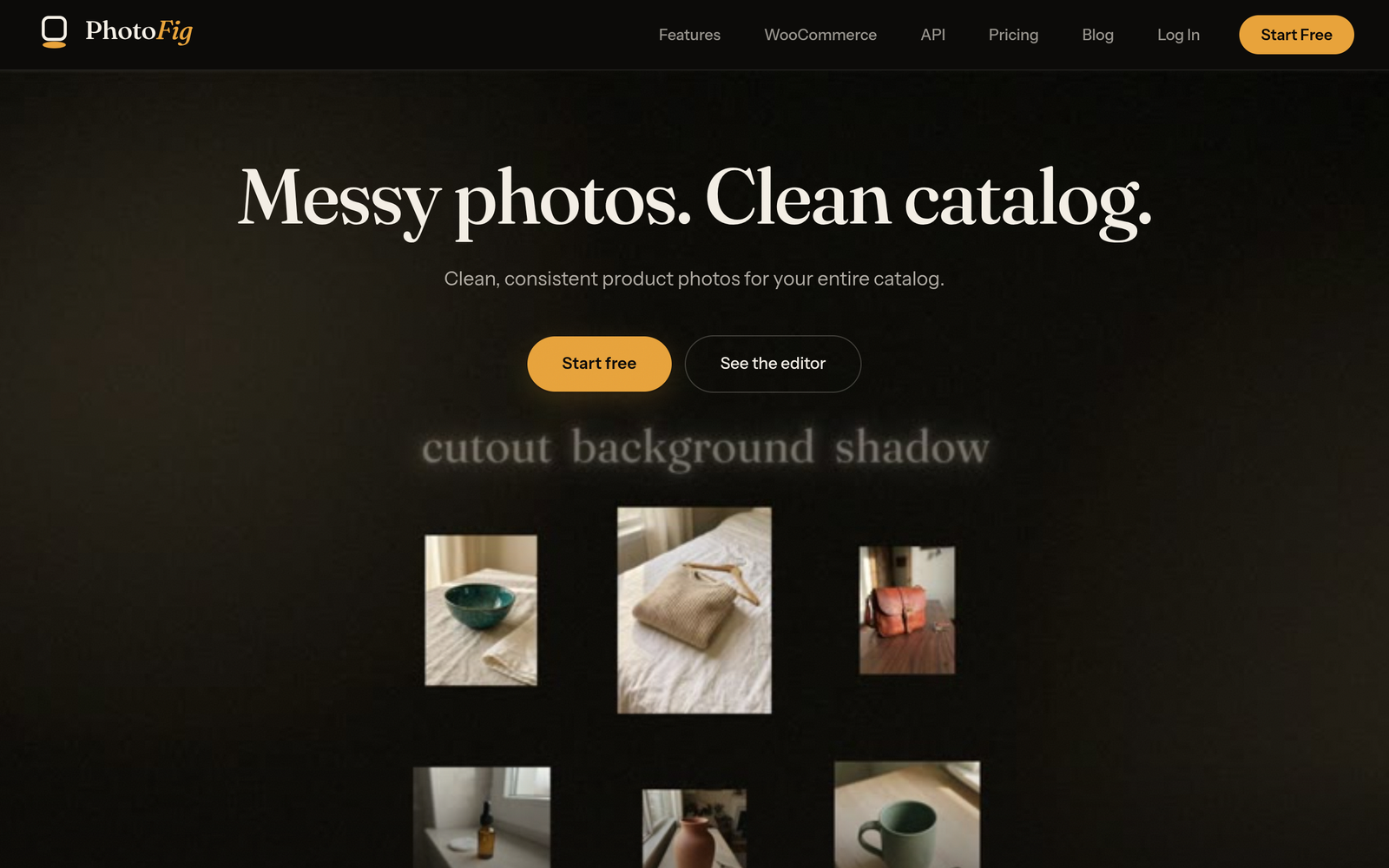
Product photography pipelines frequently bottleneck e-commerce operations. Processing white-background shots, designing lifestyle composites, matching marketplace dimension requirements, and synchronizing assets to product pages typically require multiple disjointed tools. PhotoFig enters this space as a dedicated, browser-based product photo studio designed to consolidate background extraction, AI-driven contextual staging, shadow rendering, and catalog resizing into a single pipeline.
Unlike general-purpose generative AI art tools, PhotoFig centers its architecture around preserving product geometry while manipulating the surrounding environment. Its pricing structure is notable for decoupling basic utility tools (like background removal and object erasing) from generative AI credit pools, and offering full 4K (4,096 px) export resolution on every plan, including the free tier.
What PhotoFig Is and How It Actually Works
PhotoFig is an e-commerce imagery web application that combines automated server-side batch processing with a browser-based canvas editor. Rather than treating an image as a static visual to be altered indiscriminately, the platform isolates the product layer to prevent pixel distortion on merchandise details.
The operational workflow follows a structured sequence:
- Ingestion: Users upload raw product photography manually, in batches, or by pulling media via direct e-commerce integration.
- Layer Isolation: The system automatically segments the product from its original background. A manual refinement brush is available inside the editor for fine-tuning complex edges.
- Contextual Generation: Users can place isolated items onto plain white catalog backdrops or generate contextual lifestyle environments using custom text prompts or curated scene templates.
- Shadow & Perspective Rendering: A light-aware shadow engine generates directional and contact shadows under the product layer to match the lighting angle of the generated environment.
- Catalog Formatting: Images are aligned to preset aspect ratios for various selling channels and exported locally or synced directly to a live catalog.
Target Audience & Ideal Users
PhotoFig is architected specifically for operations handling commercial product catalogs. The primary target segments include:
- WooCommerce Store Managers: Operators who want to import store images, stage them, and push approved visual updates directly back to their store database without installing third-party WordPress plugins.
- Multi-Channel Marketplace Sellers: Merchants operating across platforms such as Amazon, eBay, Etsy, Poshmark, and Vinted who must meet differing image dimension and white-background requirements.
- Catalog Managers and Retouchers: Teams tasked with processing supplier-provided imagery, removing supplier watermarks/logos, and upscaling low-resolution assets for production deployment.
- E-Commerce Developers: Technical teams seeking programmatic access to batch background extraction and contextual rendering via a REST API.
Core Features & Capabilities
Based on verified product documentation, PhotoFig provides several specialized capabilities tailored for commercial image processing:
Zero-Credit Utility Tools
A critical operational detail is that PhotoFig separates baseline editing utilities from AI generation credits. The platform’s Magic Eraser—used to remove stray marks, dust, or unwanted supplier logos—consumes zero AI credits across all plans. Similarly, background removal does not consume AI credits, operating under a 30-photo/month cap on the free tier and completely unlimited on all paid subscriptions.
Contextual Background Generation and Realistic Shadows
When generating custom backgrounds via prompts or pre-configured scene presets, PhotoFig isolates the core product layer so that labels, text, and item geometry remain unwarped. The software calculates light angles and casts contact and directional shadows beneath the merchandise to prevent the “floating sticker” effect common in standard graphic cutouts.
Direct WooCommerce Integration
PhotoFig interfaces directly with WooCommerce catalogs via native REST API connections secured with AES-256 encryption. This connection operates without requiring a dedicated WordPress plugin. Editors can pull existing catalog images into the studio, apply edits, and selectively push approved images back to the live product listings.
Multi-Platform Preset Resizing
The catalog resizer includes pre-configured dimensions conforming to listing specifications for Shopify, Etsy, Amazon, eBay, Instagram, Pinterest, Facebook, Poshmark, and Vinted. Users can set padding, background fill rules, and alignment parameters to enforce visual uniformity across an entire catalog.
AI Upscaling and High-Resolution Exports
The platform includes an AI upscale engine supporting up to 4x enlargement for supplier assets that fail to meet minimum platform resolution standards. Crucially, 4K export resolution (up to 4,096 px) is unrestricted across all subscription tiers, including the Free plan.
Developer REST API and Automation
For custom engineering stacks, PhotoFig offers a developer REST API with webhook support on Pro and Studio plans, allowing external platforms to trigger batch queues programmatically.
Pricing, Tier Differences, and Plan Limitations
PhotoFig operates on a freemium model. Pricing tiers balance monthly generative AI credits, batch export capacity, active image storage, and API rate allowances.
| Plan Tier | Monthly Price (Annual / Monthly) | AI Credits | Background Removals | Batch Exports | Storage Limit | WooCommerce Publishes | API Access |
|---|---|---|---|---|---|---|---|
| Free | $0 | 15 / mo | 30 / mo | 5 / mo | 30 images (0.3 GB) | 5 / mo | None |
| Starter | $7.50 / $9.95 | 600 / mo | Unlimited | 1,000 / mo | 1,000 images (10 GB) | 300 / mo | None |
| Pro | $22.50 / $29.95 | 2,000 / mo | Unlimited | 5,000 / mo | 5,000 images (50 GB) | 3,000 / mo | 1 key (60 req/hr) |
| Studio | $59.00 / $79.00 | 7,500 / mo | Unlimited | 25,000 / mo | 20,000 images (200 GB) | 15,000 / mo | 3 keys (500 req/hr) |
An Enterprise tier with custom credit allocations, dedicated storage, and uncapped API access is also available upon request.
Key Advantages
- Credit Separation for Routine Tasks: Magic Eraser and background extraction do not drain the AI generative credit balance, ensuring routine cleanup tasks do not prematurely deplete subscription allowances.
- Unrestricted Export Resolution: Providing 4K (4,096 px) exports on the Free tier is an uncommon policy that enables small merchants to maintain print-ready or high-density display standards without immediate upfront cost.
- Agentless WooCommerce Connection: Connecting through native WooCommerce REST credentials avoids the security overhead, plugin conflicts, and server bloat associated with installing additional WordPress plugins.
- Safety Staging Workflow: Direct catalog integrations require deliberate user approval before publishing, preventing bulk AI edits from accidentally overwriting live catalog assets.
Documented Drawbacks and Limitations
- Strict Temporary Batch Retention: Generated batch artifacts are not stored indefinitely. Batch files expire and are purged after 24 hours on the Free plan, 7 days on Starter, 14 days on Pro, and 30 days on Studio. Store photos are maintained for a rolling 30-day window. Teams cannot treat PhotoFig as a permanent cold-storage Digital Asset Management (DAM) platform.
- API Rate Throttling: API access on the Pro tier is limited to 60 requests per hour. High-velocity storefronts executing high-frequency catalog refreshes will need the Studio tier (500 requests per hour) or an Enterprise plan.
- Single Direct E-Commerce Sync: While presets exist for exporting images compatible with Amazon, Etsy, and Shopify, direct API-level read/write synchronization is currently restricted to WooCommerce. Users of Shopify or BigCommerce must manually download and re-upload their processed media.
- Constrained Free Storage: The Free plan’s cap of 30 stored images and 15 monthly AI credits restricts it strictly to evaluation or micro-catalog maintenance.
Who Should Consider PhotoFig vs. Who Should Look Elsewhere
Consider PhotoFig If:
- You run a WooCommerce shop and want to streamline photo editing directly against your store catalog without managing additional WordPress plugins.
- You need to batch-process plain white background shots and multi-channel marketplace crops from supplier photos without paying per background removal.
- You require high-resolution (up to 4K) outputs on a lean operating budget.
Look Elsewhere If:
- You need native, two-way automated catalog synchronization specifically for Shopify or BigCommerce storefronts.
- You require a permanent cloud asset archive that stores full-resolution source files and derivative batches indefinitely without automated deletion windows.
- Your pipeline relies on complex graphic design layouts involving extensive vector typography, CMYK pre-press proofing, or multi-page catalog publications.
Transparent Editorial Evaluation & Methodology
This technical analysis of PhotoFig is a research-based software review. Findings, capabilities, pricing tiers, and system restrictions were evaluated using publicly available technical documentation, official pricing schedules, API specifications, and verified vendor disclosures current as of late 2024. No independent hands-on performance benchmarking or load-testing of server-side queue latency was conducted for this evaluation.
Review Methodology & Source Verification
This is a research-based product analysis based on vendor documentation, publicly documented pricing, and verified technical specifications. No hands-on trial was conducted.
Last Verified: October 21, 2026
Primary Sources: PhotoFig Official Documentation